Home
Alarm Takeovers
Keep your compatible equipment and switch your monitoring to Knightwatch.

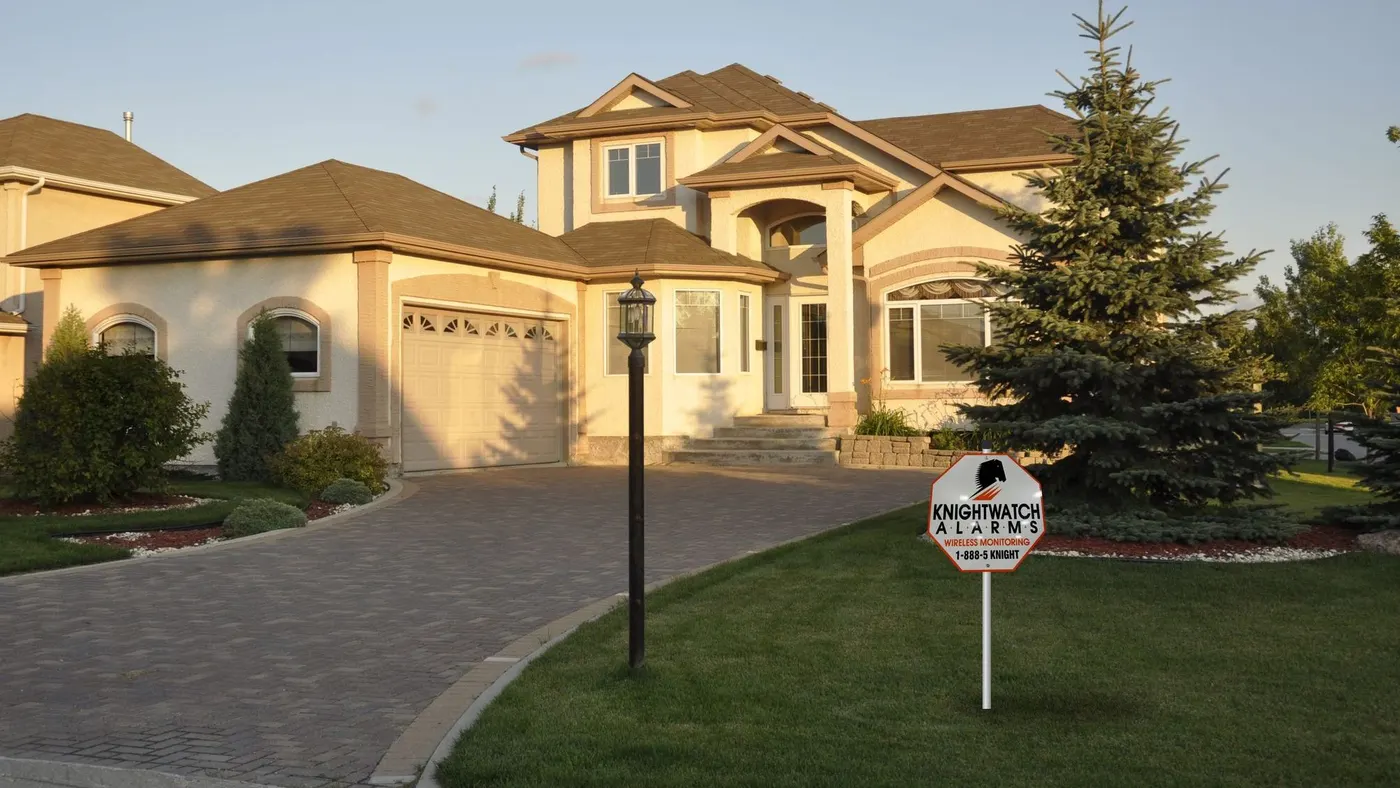
Have an alarm from TELUS SmartHome Security — or from ADT before TELUS acquired it? If your agreement allows you to move, Knightwatch can take over your compatible system for free. We use your existing alarm equipment and upgrade your service, with no contract and responsive local people who look after your needs and questions.
TELUS acquired ADT Canada in 2019, so many homes and businesses that signed up with ADT are now TELUS SmartHome Security customers. Some of those systems are years old and were installed under ADT; others are newer TELUS installations with touchscreen panels and app control.
Either way, the questions that decide whether you can switch — and what it costs — are the same: what your agreement says, and whether the equipment on your wall is owned, rented, locked or compatible.
Switching from TELUS or ADT doesn’t mean starting over. In most cases we use your existing alarm equipment, often a DSC or Qolsys (IQ) system. Your keypad, sensors and wiring stay where they are; we reprogram the panel to report to Knightwatch.
What changes is the service. You get responsive people who attend to your needs and inquiries: a local Toronto office that picks up the phone, technicians who come out when something needs attention, and straight answers about your account. You’re not handed off to a call centre. See which keypads we take over.
Security providers supply equipment in different ways. If your panel and sensors were purchased, they’re yours and can often be reprogrammed for Knightwatch monitoring. If they’re rented or still being paid off, your agreement may require you to return them or pay out the balance — and rented equipment can’t be taken over. Your agreement or your current provider can confirm which applies.
Many alarm agreements have a fixed term and may renew automatically unless you give notice. Before you switch, find your end date, renewal terms and notice period. Knightwatch has no contracts, so once you’ve moved you’re free to stay because you want to.
It depends on the panel. Many common hardwired and wireless panels — including DSC equipment our technicians work with every day — can be reprogrammed when they aren’t locked to the previous provider. Touchscreen panels tied to a provider’s app platform vary: some can be moved, some can’t. The free evaluation tells you exactly where you stand, and if a panel must be replaced we quote only what’s needed, keeping compatible sensors in place.
Learn more about home alarm takeovers and commercial alarm takeovers.
We take over DSC and Qolsys (IQ) alarm systems. Compare your keypad with the pictures below. If it matches one of these, there’s a good chance we can keep your existing equipment and simply switch your monitoring.
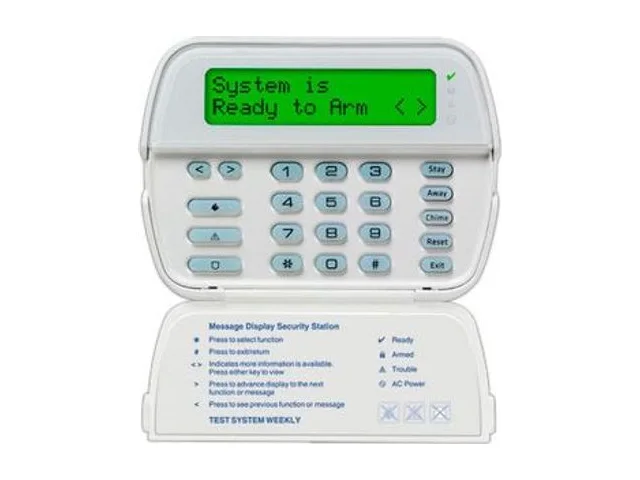
Full-message LCD screen with a flip-down door over the keys.
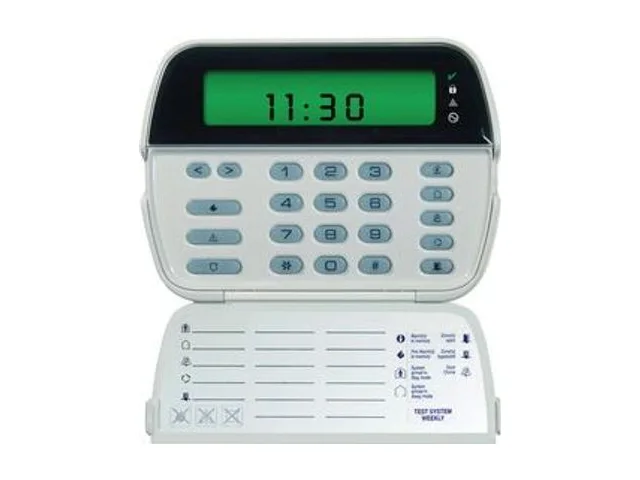
Small icon screen with zone numbers, plus a flip-down door.
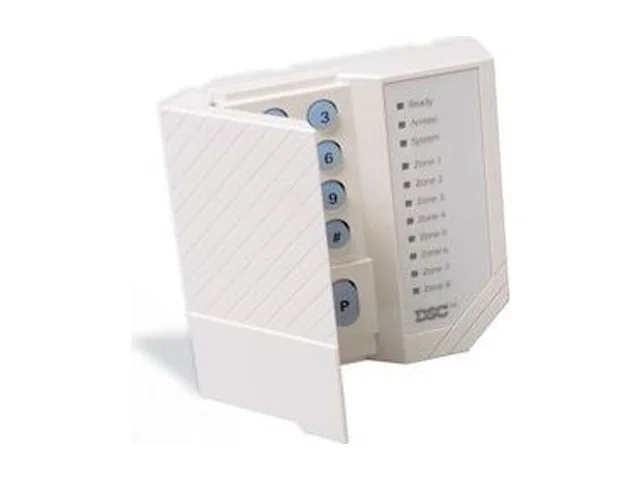
Rows of numbered zone lights instead of a screen.

Slim full-message LCD with large, flat buttons.

Slim Neo keypad with an icon-and-number display.

Wall-mounted colour touchscreen for a DSC Neo system.

7" touchscreen panel with a built-in camera at the top.

Newest IQ touchscreen: round camera above the screen, fabric speaker grille below.
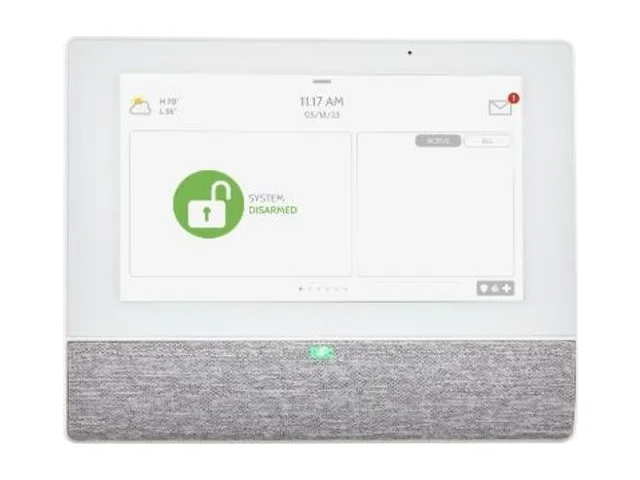
Extra IQ touchscreen with no camera, often on a stand in a bedroom or by a door.

Compact push-button keypad used beside an IQ panel.
Earlier Qolsys IQ Panel 2 and IQ Panel 2 Plus systems are also common takeovers. Compatibility is always confirmed during the free on-site evaluation. Not sure what you have? Email a photo of your keypad to [email protected] or call 416-398-7414.
Product images courtesy of DSC and IQ Security Products (Johnson Controls). DSC, PowerSeries, Qolsys and IQ Panel are trademarks of their respective owners.
Google reviewWe found Knightwatch via ChatGPT when Bell sold their home monitoring business. It recommended them because they met our needs - a company with a strong reputation that would answer when we called and didn’t keep making us “upgrade” our equipment. We got so much more. This is a family business that doesn’t lock you into a contract. They earn your business monthly. I would highly recommend them.
Google reviewWe’ve used Knightwatch for over 20 years. Adam is a great guy to deal with, and extremely knowledgeable. We’ve always had great service with them and can’t speak highly enough of them.
Keep your compatible equipment, or upgrade to DSC keypads and sensors or an IQ Panel 5 touchscreen with wireless sensors.
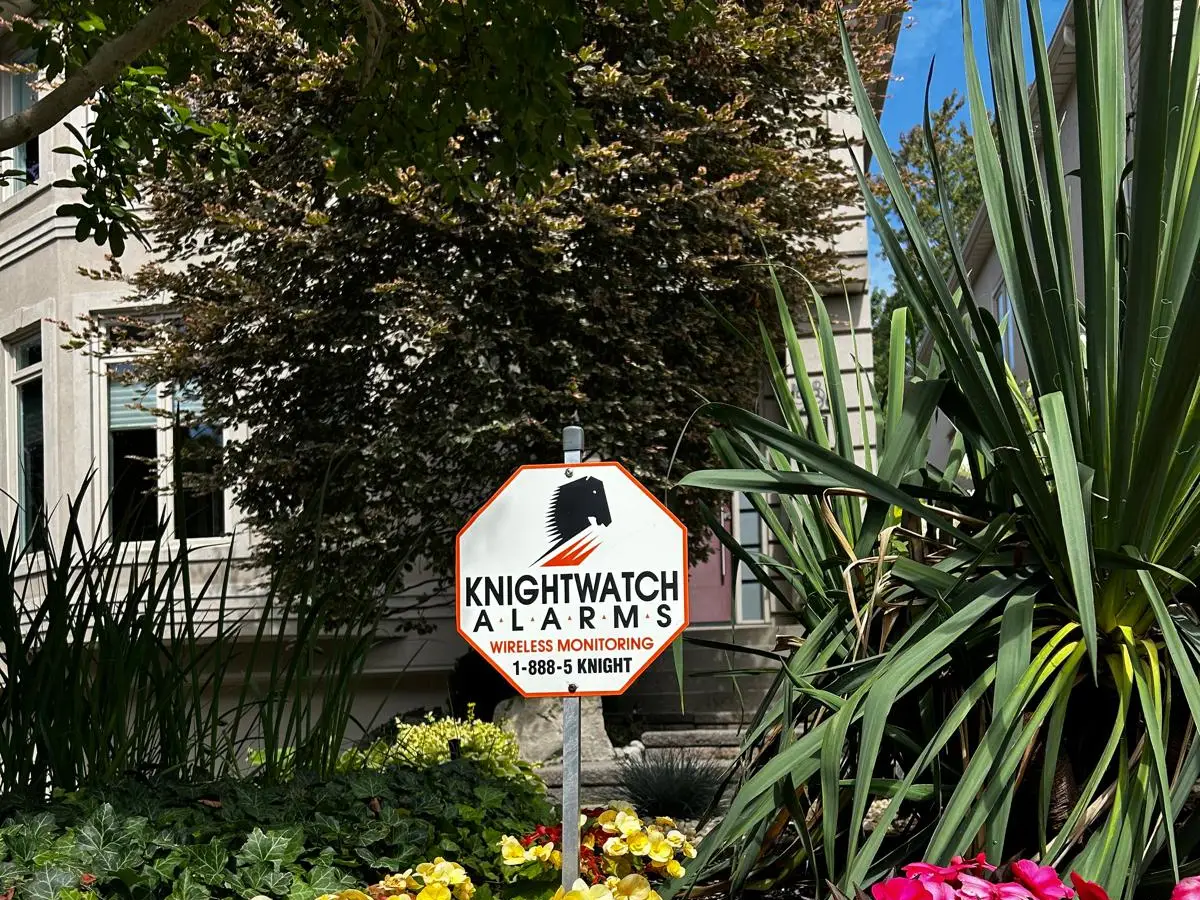
A visible sign and decals tell would-be intruders the property is protected and monitored.

Full-message LCD keypads for simple arming, disarming and clear status at a glance — the DSC equipment our technicians install and service every day.
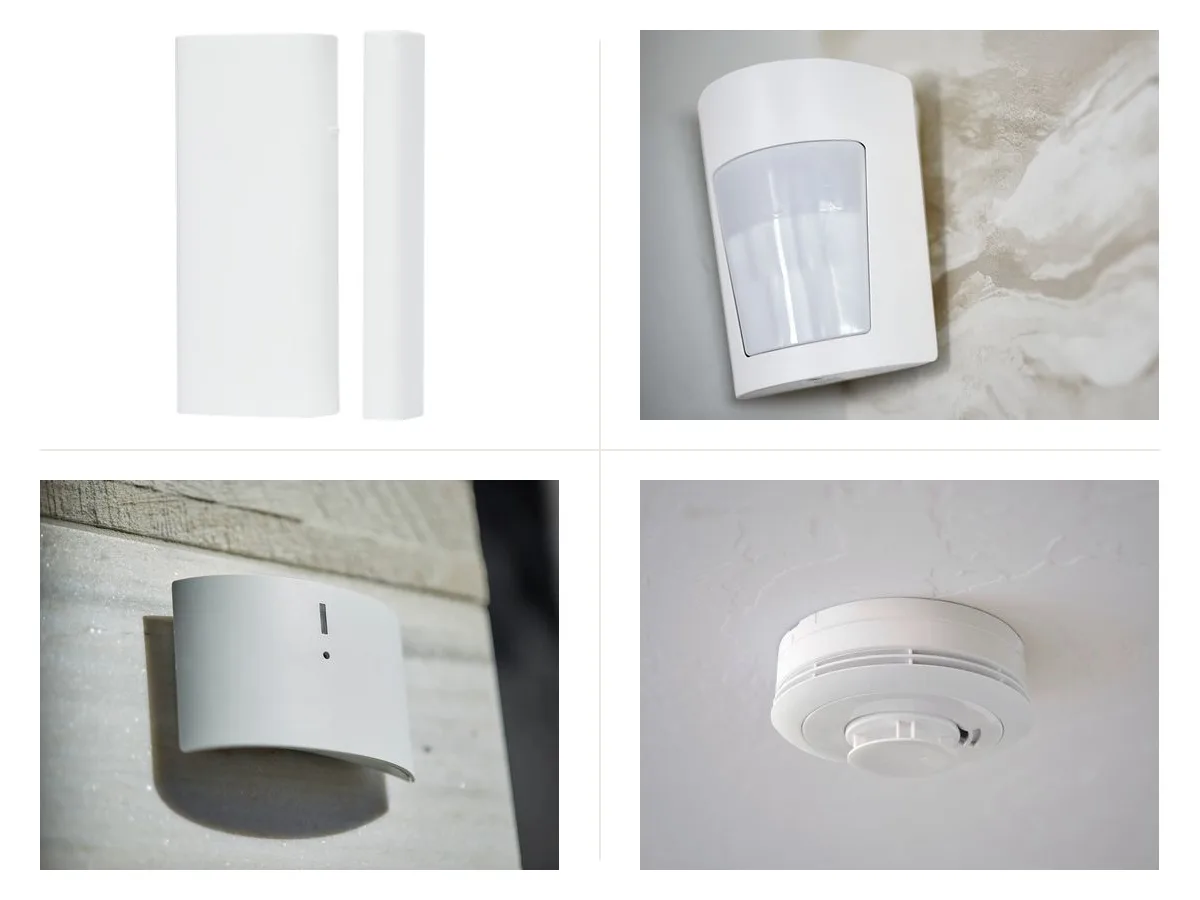
PowerG wireless contacts on every entry point, motion and glass-break coverage inside, plus monitored smoke and heat detection.

The IQ Panel 5 touchscreen with PowerG wireless sensors — tidy installs, phone control and room to grow.
Product images courtesy of DSC and IQ Security Products (Johnson Controls).
Yes — evaluating and reprogramming compatible equipment is free under our current offer, with no contract. Additional or replacement parts are extra and quoted first; regular monthly monitoring applies.
Sometimes. It depends on the model and whether it’s locked to a provider’s platform. We’ll check during the free evaluation; if it can’t be moved, we’ll quote the minimum replacement and reuse compatible sensors.
Often. Many older systems use standard panels that can be reprogrammed if they’re owned and unlocked. A photo of the keypad helps us check before we visit.
No. We confirm your system is reporting to our monitoring station before we leave, and we time the switch around your current agreement.
Yes. See commercial alarm takeovers — we schedule the switch around your business hours.
Keep your compatible equipment and switch your monitoring to Knightwatch.
Move your business alarm to Knightwatch without replacing compatible equipment.
Round-the-clock monitoring with unlimited guard dispatch and no annual contract.
Free evaluation and takeover of compatible equipment. No contract.
Bell, AlarmForce, a.p.i. Alarm / API Alarm, TELUS and ADT are trademarks of their respective owners. Knightwatch Alarms is an independent company and is not affiliated with, endorsed by or acting for any of them. Information about other companies is based on public sources as of October 2026; always check your own agreement. Takeover is free for compatible equipment. Any additional or replacement parts are extra and quoted before work begins. Regular monthly monitoring fees apply. Rented equipment owned by your current provider can’t be taken over.